
Copilot Summaries in Power BI Email Subscriptions

In January 2025, Microsoft introduced a new feature for Power BI in preview: Copilot-generated summaries in email subscriptions.
This AI-based tool allows users to receive a concise summary of Power BI reports directly in their emails. Its goal is to facilitate access to key insights from reports without needing to delve into them. This way, productivity is improved, and decision-making is streamlined.
What are Copilot Summaries?
Copilot summaries are AI-generated descriptions. They synthesize the most relevant points of a Power BI report or a specific page. These summaries are sent in emails to subscribed users, offering a quick and easy way to understand essential information without having to open the full report.
How to Set Up Copilot Summaries
Setting up this feature is a simple and accessible process for Power BI users. From the report of interest, just select the “Subscribe” option in the ribbon. Then, you can choose to receive a summary of the entire report or a specific page. You can also preview the generated summary before saving it. Once the subscription is set up, you can send a test to see how the final email will look.
For a complete guide on how to set up subscriptions in Power BI, check the official documentation here.
Benefits and Strategic Applications
The Copilot summaries feature in Power BI offers several key benefits that transform how teams interact with their reports and make decisions:
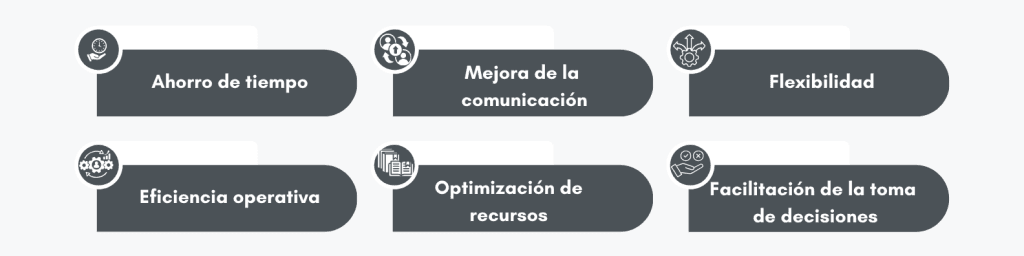
- Time-saving: This feature allows users to access main ideas without needing to review extensive reports, improving their efficiency.
- Improved communication: By receiving concise summaries in their emails, teams can share and understand the most relevant information more effectively.
- Flexibility: Users can customize their subscriptions, opting to receive summaries of entire reports or specific pages, as required by each situation.
- Operational efficiency: Quick access to key data improves teams’ responsiveness, enabling more informed decisions in less time.
- Resource optimization: By reducing the effort needed to analyze data, users can focus their attention on higher-impact strategic activities.
- Facilitation of decision-making: Business leaders, by obtaining only key data, can focus on important decisions without needing to navigate through detailed reports.
For example, in sales reports, commercial teams receive daily summaries highlighting key metrics such as revenue, sales by region, and top-selling products. Financial analysts receive weekly summaries of balance sheets and cash flows. Project managers, on the other hand, get summaries on progress, pending tasks, and risks.
Limitations and Considerations
It is important to note that this feature, being in preview, has certain limitations. For example, it is not available for dynamic subscriptions by recipient, paginated reports, scorecards, or dashboards. Additionally, in cases where reports are very extensive, response time may affect the generation of the summary, and it may not be included in the email.
Requirements and Additional Configuration
To set up email subscriptions in Power BI, certain requirements must be met:
- Licenses: you need a Power BI Pro or Premium Per User (PPU) license to create subscriptions. Microsoft Entra B2B guest users can also set up subscriptions if they have the appropriate permissions.
- Permissions: you must have access permissions to the report or dashboard to subscribe or subscribe others.
- Subscription management: workspace administrators can manage subscriptions, including taking control of subscriptions created by other users.
Conclusion
Copilot summaries in Power BI email subscriptions represent an advancement in how users interact with their data. This feature not only saves time but also improves efficiency and communication within teams. Trying out this new feature can transform your workflow.
Do you want more information or need help setting up this feature? Contact us through our form. We are here to help you get the most out of Power BI.