
Essential Checklist to Protect Your Microsoft 365 Environment

Security in an environment like Microsoft 365 is crucial. It holds a large amount of sensitive data, making it a prime target for cybercriminals—such as emails, documents, and conversations in SharePoint, Teams, and OneDrive. Moreover, attacks are becoming increasingly sophisticated. Artificial Intelligence enables malware generation at high speed. Currently, AI-driven phishing is three times more effective than traditional campaigns. In this scenario, having a robust and well-protected ecosystem is essential.
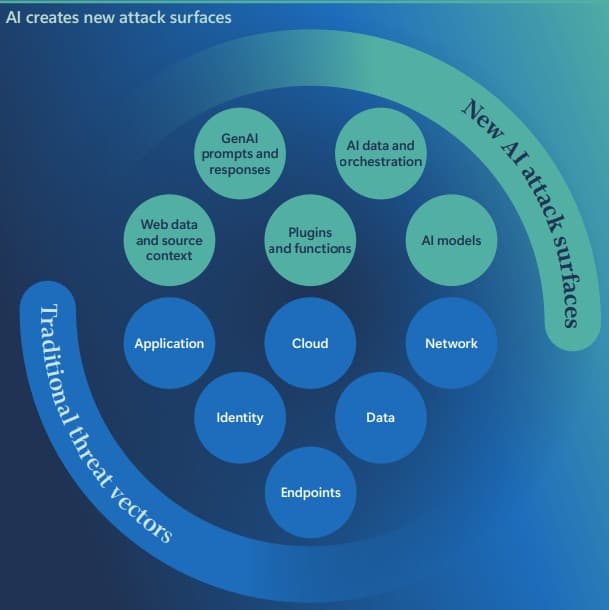
What the Microsoft Digital Defense Report 2025 reveals:
Here are the key insights from the Microsoft Digital Defense Report 2025:
- Microsoft teams confirm that in 80% of incidents last year, the main goal was data theft.
- Spain ranks 14th worldwide for malicious cyber activity.
- More than 50% of incidents are driven by extortion and ransomware, while only 4% are related to espionage.
- Attacks on Azure cloud customers have increased by 87%, including ransomware and massive data deletion.
For this reason, it is critical to have an environment prepared to protect the company and respond quickly to any type of attack.
Key Resources: Microsoft Secure Future Initiative and Be Cybersmart Kit
In 2023, Microsoft launched the Secure Future Initiative to combat the growing number of cyberattacks. Its goal is to transform security across the Microsoft ecosystem by integrating protection practices throughout the entire product and service lifecycle. It focuses on three pillars: Secure by Design: products designed to be 100% secure from the start, Secure by Default: secure configurations enabled by default and Secure Operations: robust controls that continuously evolve.
This initiative mobilized more than 34,000 engineers to proactively reduce risk and strengthen protection across all products and services.
Additionally, Microsoft has reinforced its commitment to enterprise security. In a context where AI is increasingly prevalent and threats are more complex, clear protection is essential. As part of the Secure Future Initiative, Microsoft has created a library of practical guides to help implement consistent security measures in Microsoft 365 environments and AI-based solutions.
Along these lines, Microsoft also introduced the Be Cybersmart Kit—a set of educational resources (infographics, videos, email templates, guides, etc.) that helps companies adopt safe habits and reduce cyber risks. In short, a great way to prevent attacks.
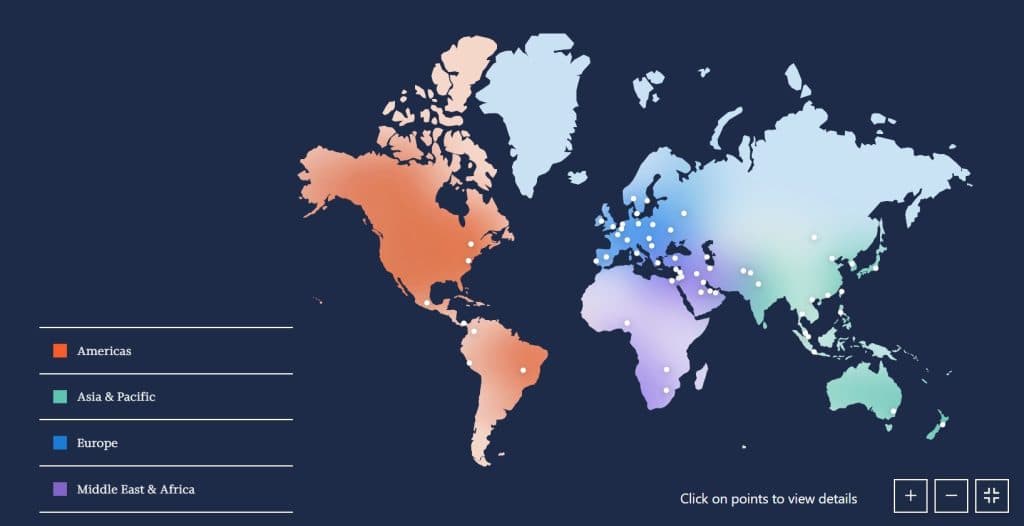
The United States, the United Kingdom, Israel, and Germany were the leading targets of cyberattacks.
Tips to Protect Your Microsoft 365 Environment
These five key measures will help secure your business environment:
- Apply robust identity verification for new users. This step prevents fake accounts from infiltrating the corporate environment.
- Enable phishing-resistant multifactor authentication. Microsoft recommends using methods like Windows Hello, FIDO2 keys, or Microsoft Authenticator with number matching. These apps require users to confirm access from their mobile device.
- Configure conditional access policies. These policies define specific rules for who can access, from where, under what conditions, and with which device.
- Update and strengthen corporate device configurations. Use tools like Microsoft Intune, which allows organizations to manage and protect all corporate devices.
- Monitor suspicious activity with Microsoft Defender. This tool enables companies to track user activity and generate alerts for suspicious patterns, such as unusual sign-ins or massive file downloads.
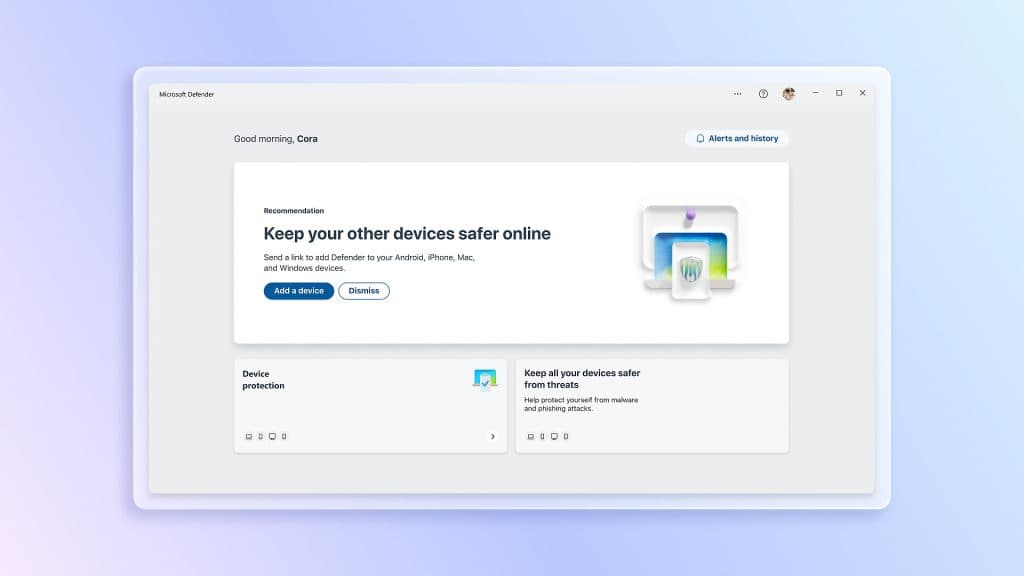
Microsoft Defender
Conclusions
The data from the Microsoft Digital Defense Report 2025 is clear: cyberattacks are becoming more frequent and sophisticated. Due to its high volume of sensitive information, Microsoft 365 has become one of the main targets. Data protection is now an essential part of companies’ digital strategies.
Investing in a robust ecosystem and preventing cyberattacks positively impacts business continuity, customer trust, and organizational reputation.
At Itequia, we support you at every stage to ensure your Microsoft 365 environment is truly protected. Our team of experts works with you to implement advanced security solutions tailored to your organization’s needs. Contact us and tell us your case.