
New Security Features in Power Automate

With the increasing sophistication of cyber threats, protecting desktop workflows has become more important than ever.
The new security features of Power Automate are designed to strengthen the protection of identities, secrets, and critical infrastructures. In this article, we will explore how these innovations can benefit large companies and offer practical advice for their implementation.
New Security Features
To address current security challenges, Power Automate has introduced several functionalities that enhance the protection of desktop workflows. These features help prevent unauthorized access and ensure that sensitive data is protected at all times. Below, we detail these new features and their benefits:
Credential Management
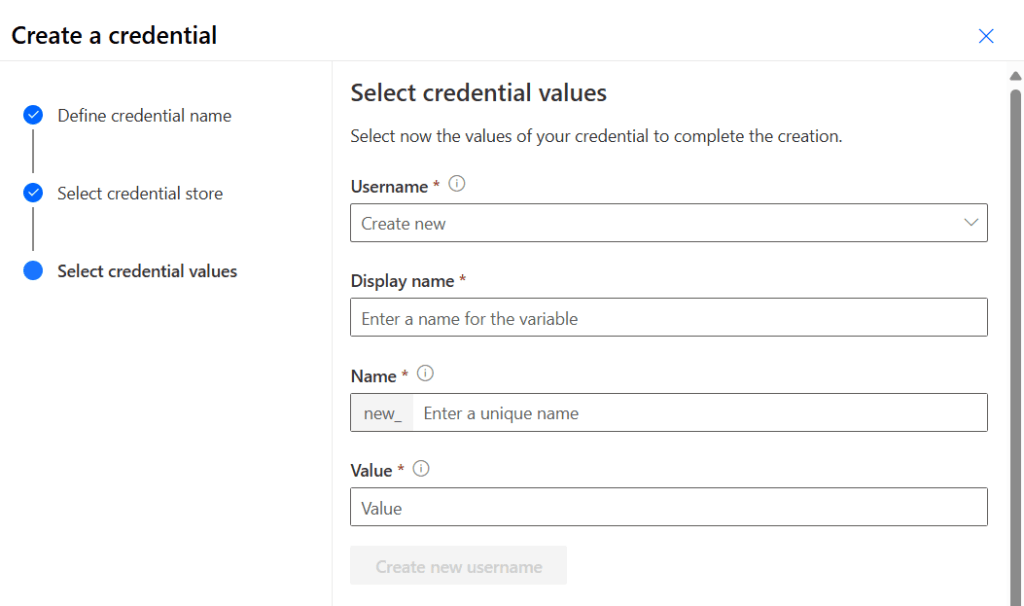
Credential management is an essential tool for protecting identities and secrets.
Power Automate allows you to securely store and manage credentials, reducing the risk of unauthorized access. It uses services like Azure Key Vault and CyberArk to manage and protect cryptographic keys and other secrets.
- Azure Key Vault is a Microsoft platform that offers advanced encryption and strict access controls.
- CyberArk is a security solution that protects enterprise credentials and secrets through advanced access management and audits.
These functionalities ensure that only authorized personnel have access to critical information, regardless of the size of the company.
Multi-Factor Authentication (MFA)
Multi-factor authentication (MFA) adds an additional layer of security by requiring multiple forms of verification before granting access. Power Automate now supports certificate-based authentication (CBA) in desktop flow connections.
This passwordless solution meets MFA requirements for both attended and unattended scenarios. Available from Power Automate for Desktop Build 2410, this functionality enhances security by eliminating the need for passwords and ensures that only authorized users can access critical resources. By using securely stored and managed certificates, companies can better protect their infrastructure. This reduces the risk of unauthorized access.
Real-Time Monitoring and Auditing
Real-time monitoring and auditing tools allow companies to monitor and record access to their systems.
Power Automate has introduced a new functionality that allows the use of credentials directly within desktop flow actions. This feature ensures that sensitive information is handled securely, without being stored in scripts or logs. Only authorized users have access.
Using advanced tools, companies can review and analyze transactions and processes in real-time. This allows them to identify unusual patterns or inconsistencies that could indicate fraud or errors. Custom dashboards allow tracking the status of audits, findings, and remediation efforts. Thus, real-time information is provided for strategic decision-making.
These improvements not only help detect and prevent unauthorized access but also provide a solid foundation for future audits and compliance analysis.
Desktop Infrastructure Protection
VNet Support for Hosted Machine Groups
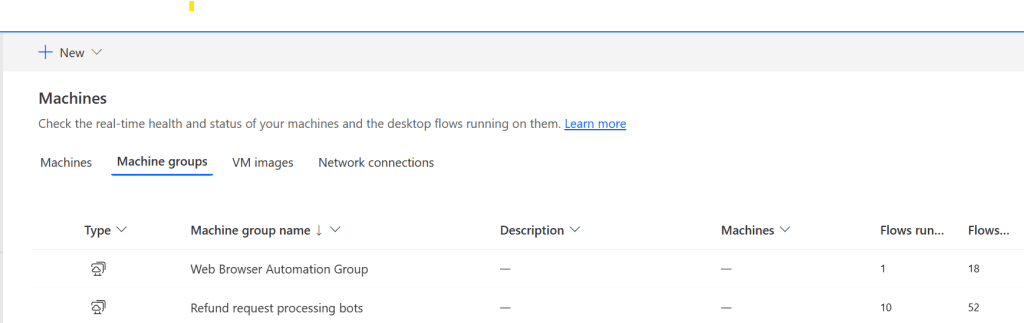
Power Automate has introduced support for virtual networks (VNet) in hosted machine groups. This simplifies the configuration and scaling of robotic process automation (RPA) in virtual machines managed by Microsoft and hosted in Azure.
You can now connect your Azure virtual network (VNet) to your hosted machine groups, allowing private and isolated environments on the network with customized security measures such as network security groups and firewalls to control and monitor traffic.
Additionally, this integration allows connection with on-premises networks via VPN or ExpressRoute when it is necessary to access local resources for RPA workloads.
Network Level Authentication (NLA)
Network Level Authentication (NLA) is a security measure that requires user authentication before establishing a remote desktop connection.
This feature helps organizations mitigate the risk of unauthorized access by ensuring that only authenticated users can initiate a remote session, thus protecting against vulnerabilities associated with the authentication process. This functionality is now supported when running unattended workloads using a Microsoft Entra ID account on a joined or hybrid Microsoft Entra device.
For more details on how to configure and manage hosted machines in Power Automate, you can refer to the official Microsoft documentation.
Implementation and Best Practices
To make the most of these new features, it is crucial to conduct regular risk assessments to identify and mitigate vulnerabilities.
Using specific tools and methodologies can help companies stay one step ahead of threats. Additionally, continuous security training is essential to keep employees informed about best practices and new threats. Regular training programs can help create a security culture within the company.
Developing and implementing clear and accessible security policies is fundamental to ensuring that all employees understand and follow security best practices. Implementing advanced technologies such as multi-factor authentication and data encryption can provide additional protection against threats. However, it is important to consider the benefits and challenges of these technologies before implementation.
Final Thoughts
The new security features of Power Automate offer enhanced protection for desktop workflows, helping companies protect their identities, secrets, and infrastructures. By implementing these improvements, organizations can strengthen security and reduce the risk of security breaches. With these innovations, Power Automate positions itself as an essential tool for intelligent and secure process automation, allowing companies to operate more efficiently and confidently.
At Itequia, we are committed to helping you implement these advanced security solutions in your desktop workflows. Contact us today to discover how we can strengthen your company’s security and optimize your processes with Power Automate.